GenAI Activity Instructions
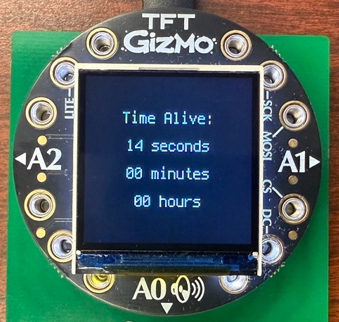
GenAI Activity: For this activity, watch the short video demonstration below to understand the goal behavior. There are no written specifications to follow. Instead, you'll team with GenAI to reverse-engineer the behavior. As you watch, pay close attention to how the system responds to movement, what triggers the end of the interaction, and how feedback is presented to the user. What inputs are being used? What rules might be driving the behavior? Your challenge is to recreate the experience you observe—by thinking critically, experimenting, and coding creatively.
GenAI Activity Submission
For Activity 8, you will team with GenAI to reverse engineer the above program. On Canvas, you will submit your code.py, conversation transcripts, Honor Acknowledgment Statement, and up to a three minute video according to the following instructions:
-
- What does your robot do in this activity?
- Demonstrate the full functionality of your robot.
- How did you team up with AI? What AI tools did you use, and how did you use them? What was done by the AI and what was done by you?
- What did you learn by completing this project? What are the big takeaways about GenAI and its capabilities?
Creating/editing Videos. Your video should contain a mixture of smartphone video recordings and screencasts (e.g. you showing your code in the Mu editor). Your laptops come pre-installed with Microsoft Clipchamp, which is available through West Point’s Microsoft 365 license. This is an extremely powerful tool that allows you to knit together video snippets, take screencasts, and edit recordings. Here is a helpful tutorial for using Clipchamp.